Building an AI Coach That Sees Your Factorio Factory
Table of Contents
How I built factorio-sensei — a Rust CLI that connects Claude to a live Factorio game via RCON and gives real-time coaching advice based on actual game state.
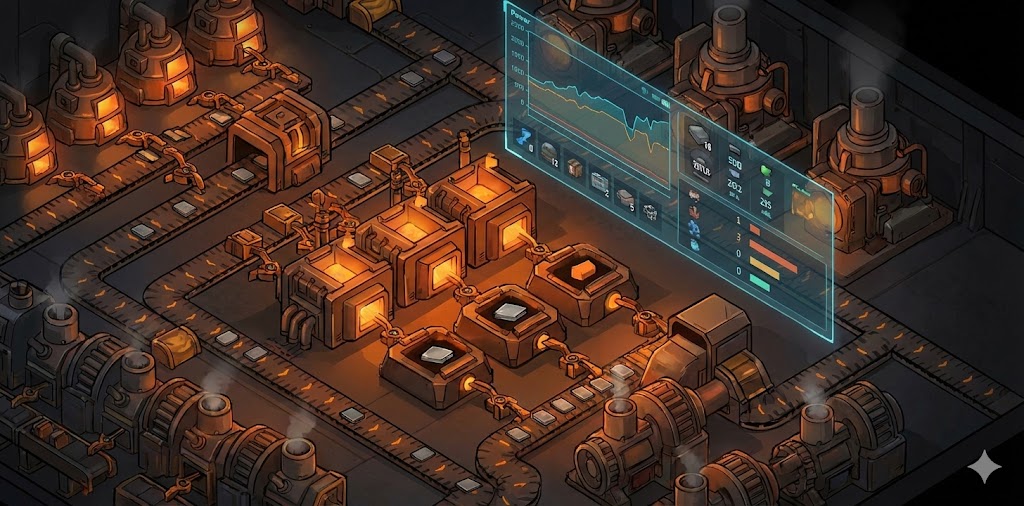
I got tired of alt-tabbing to ask Claude about my Factorio factory.
Every time I wanted advice, I had to describe my setup manually. “I have 4 furnaces, 2 steam engines, researching automation…” — and half the time I’d forget something important or get the numbers wrong.
So I built a tool that lets Claude see the game directly.
The Problem
There are plenty of Factorio guides, wikis, and even AI chatbots that can answer questions about the game. But they all share one limitation: they can’t see your factory.
You can paste a screenshot into Claude and get decent advice. But that’s a single frozen frame. It doesn’t know your production rates, your power satisfaction percentage, what’s in your inventory, or what you’re currently researching.
I wanted something that could look at my actual game state and give specific advice. Not “you should build more furnaces” — but “you’re producing 45 iron plates/min and consuming 52, add a second drill on the iron patch 30 tiles north.”
The Architecture
The answer turned out to be simpler than I expected.
Factorio has a built-in RCON (Remote Console) protocol. If you host a game as multiplayer, external programs can connect and execute Lua commands on the game runtime. This means you can query anything — player position, inventory contents, production statistics, power grid status, nearby entities, research progress.
The architecture is straightforward:
Factorio (RCON) ←→ factorio-sensei (Rust) ←→ Claude (Anthropic API)The Rust binary sits in the middle. It connects to Factorio via RCON, registers 10 game-state tools with Claude via the Rig framework, and lets the model decide which tools to call based on your question.
When you ask “how’s my power?”, Claude doesn’t guess. It calls get_power_stats, gets back real numbers, and responds with specific advice.
10 Lua Tools
Each tool executes a Lua script on the Factorio runtime via RCON and returns structured JSON.
The tools cover everything a coach would need to see:
- Player position — where you are on the map
- Inventory — every item and count
- Production stats — lifetime produced/consumed for any item
- Power grid — generation, consumption, satisfaction ratio
- Research — current tech, progress percentage, queue
- Nearby entities — machines, belts, inserters within a radius
- Nearby resources — ore patches, oil fields
- Assemblers — what they’re crafting, speeds, modules
- Furnaces — recipes, fuel types, outputs
- Recipe lookup — ingredients, products, crafting time for any recipe
The key insight was using helpers.table_to_json() — a built-in Factorio 2.x function that converts Lua tables directly to JSON. No regex parsing, no custom serialization. The Lua scripts query the game API, build a table, and return clean JSON.
Why Rig
I used Rig as the LLM framework. It’s a Rust-native library for building AI agents with tool use.
The Tool trait is clean:
impl Tool for GetPowerStats {
    const NAME: &'static str = "get_power_stats";

    async fn call(&self, _args: Self::Args) -> Result<Self::Output, Self::Error> {
        let lua = lua::power_stats();
        let json = self.rcon.lock().await.execute_lua_json(&lua).await?;
        Ok(json)
    }
}
Each tool holds a shared RCON connection (Arc<Mutex<RconClient>>), generates a Lua script, executes it, and returns the result. The agent builder wires everything together:
client
    .agent(model)
    .preamble(&system_prompt)
    .tool(GetPlayerPosition::new(rcon.clone()))
    .tool(GetPowerStats::new(rcon.clone()))
    // ... 8 more tools
    .build()
Claude sees the tool definitions and decides which ones to call. A question like “analyze my factory” triggers 4-5 tool calls in sequence — power, production, entities, inventory — and then synthesizes everything into prioritized advice.
Two Interfaces
The tool runs as a terminal REPL by default. You get a You> prompt, type questions, and get colored markdown responses.
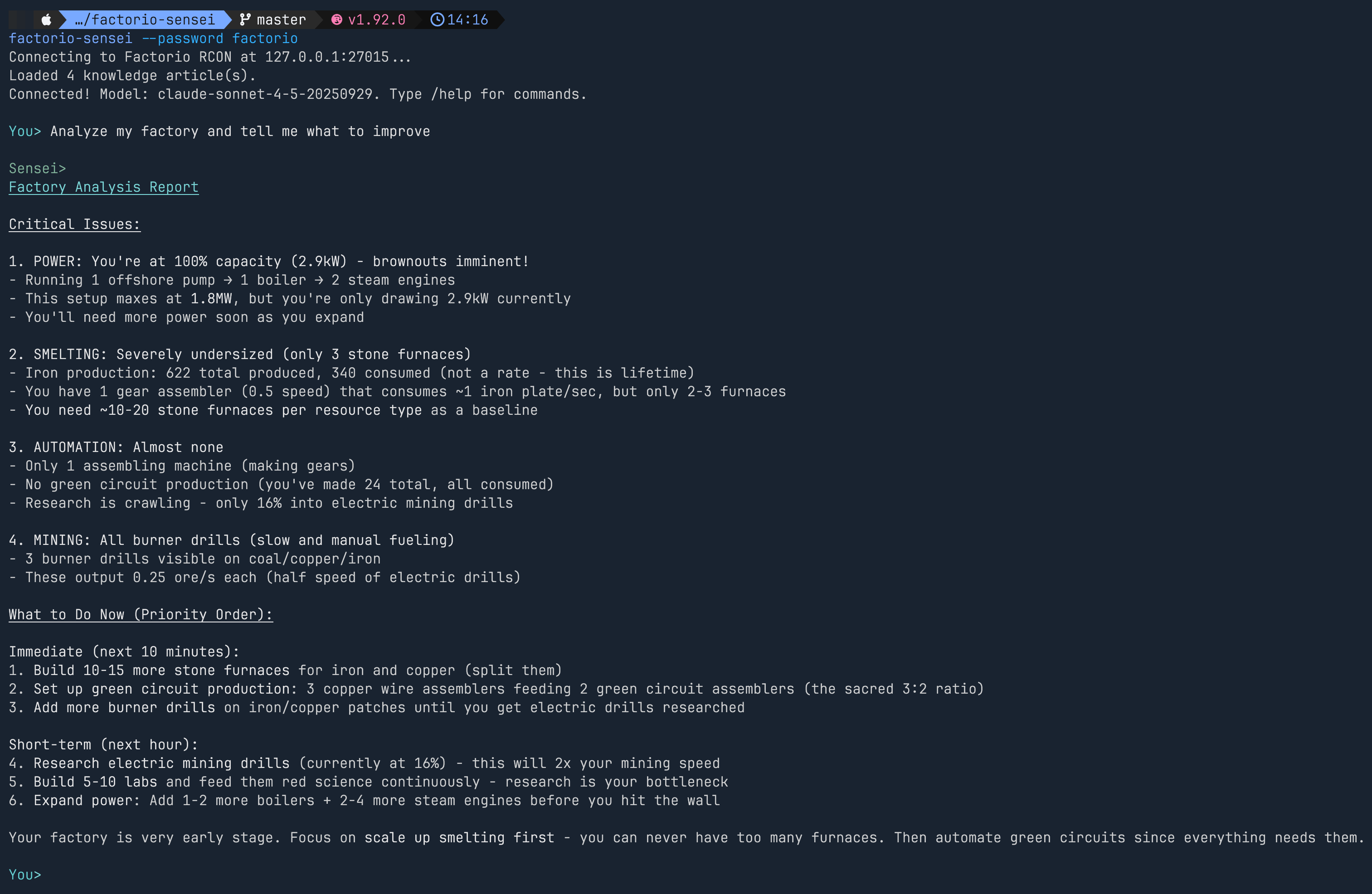
But I also wanted to ask questions without leaving the game.
So I built a Lua mod that adds a /sensei command to Factorio’s chat console. The mod queues messages, and a bridge loop in the Rust binary polls for them, routes them through Claude, and sends responses back to game chat.
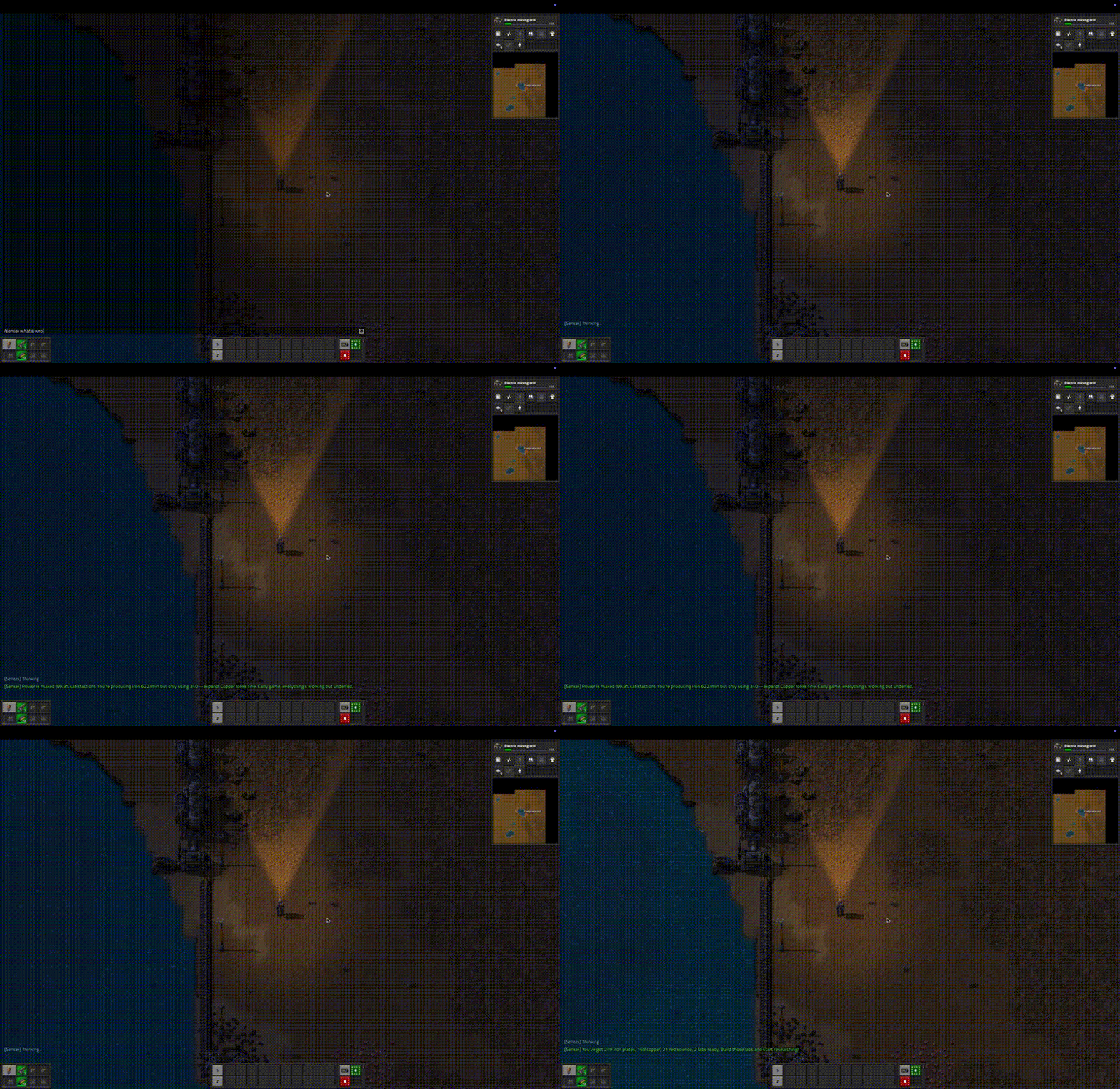
The in-game responses are deliberately short — you’re actively playing, not reading essays.
The Knowledge Base
Claude knows a lot about Factorio, but it doesn’t always get the exact numbers right. Belt throughput, inserter speeds, furnace ratios — these matter when you’re giving specific advice.
I embedded two reference documents directly into the binary:
- A quick reference with exact ratios (the sacred 3:2 copper wire to green circuit ratio, belt speeds, inserter throughput, power formulas)
- A deep mechanics reference covering tick simulation, fluid dynamics, module math, and train physics
These get injected into the system prompt as context. When Sensei tells you to add 3 more steam engines, it’s referencing the actual 900 kW per engine number, not guessing.
The RCON Crate
I couldn’t find a good async Rust RCON client, so I wrote one: factorio-rcon.
A few things I learned about Factorio’s RCON implementation:
- It sends 1 auth response packet, not 2 like Source Engine
- TCP fragmentation is real for large Lua responses —
read_exact()is essential - The length field is
i32— you must validate before casting tousize - Request IDs must never be -1 (that’s the auth failure sentinel)
The crate handles all of this and exposes a simple connect / execute API.
What Surprised Me
The multi-tool-call pattern works remarkably well. When you ask a broad question, Claude chains together 4-5 tool calls, reads the results, and synthesizes a coherent analysis. It catches things I wouldn’t think to check — like power satisfaction dropping while smelting looks fine.
The in-game bridge turned out to be more useful than expected. Not having to alt-tab completely changes the experience. You’re playing, you hit a question, you type /sensei what should I research next? and get an answer in the chat window.
And the read-only constraint was the right call. Sensei observes and advises — it never executes game actions. This keeps it safe (no accidental factory demolition) and focused on teaching rather than playing for you.
Try It
cargo install factorio-sensei
export ANTHROPIC_API_KEY=sk-ant-...
factorio-sensei --password <your-rcon-password>
Source: github.com/alloc33/factorio-sensei
The factory must grow — and now it has a coach.